Content
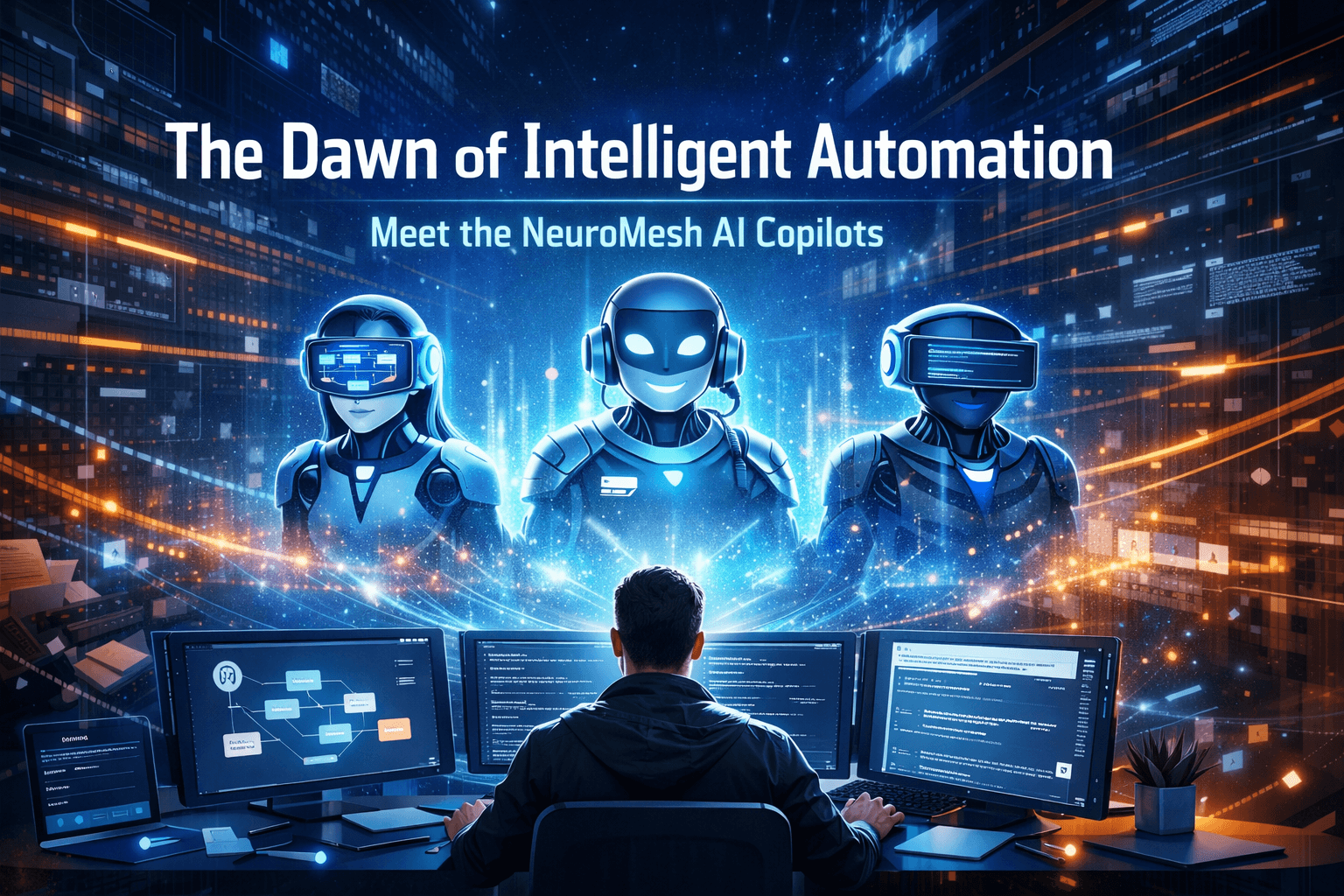
Welcome to the future of workflow orchestration! At NeuroMesh, we’ve always believed that building integrations, orchestrating APIs, and automating your repetitive tasks should be as intuitive as having a natural conversation. We are on a mission to completely friction proof the developer and operational workflows.
Today, we're taking a monumental leap forward by introducing our new suite of NeuroMesh AI Copilots. These intelligent agents aren't just bolt-on chat windows; they are deeply context aware systems embedded directly into the fabric of the platform. They exist to help you build at warp speed, troubleshoot smarter, and navigate complex integrations without ever needing to open a frantic support ticket.
Let’s take a deep dive under the hood at the three specialized AI systems ready to revolutionize your NeuroMesh experience!
1. The Workflow AI Copilot: Automating the Automators
The Workflow AI Copilot is a highly specialized, surgical tool that operates strictly inside the Workflow Designer.
Building complex integration workflows manually can sometimes mean navigating dozens of node configurations, APIs, and conditional logic jumps. The Workflow Copilot entirely changes this paradigm by directly reading, analysing, and proactively modifying the graph environment you're actively working on.
Instant Graph Awareness & Contextual Explanations
Have you ever opened an incredibly complex flow built by a former colleague and thought, "What does this even do?"
The Workflow Copilot is inherently "graph aware." It natively understands the structure, edges, incoming datasets, and conditional logic branching inside your canvas at any given second. You can simply ask:
"Explain this current workflow"
The AI will parse the graph and give you a meticulous, step by step breakdown of the data journey, completely removing the mystery from legacy automations.
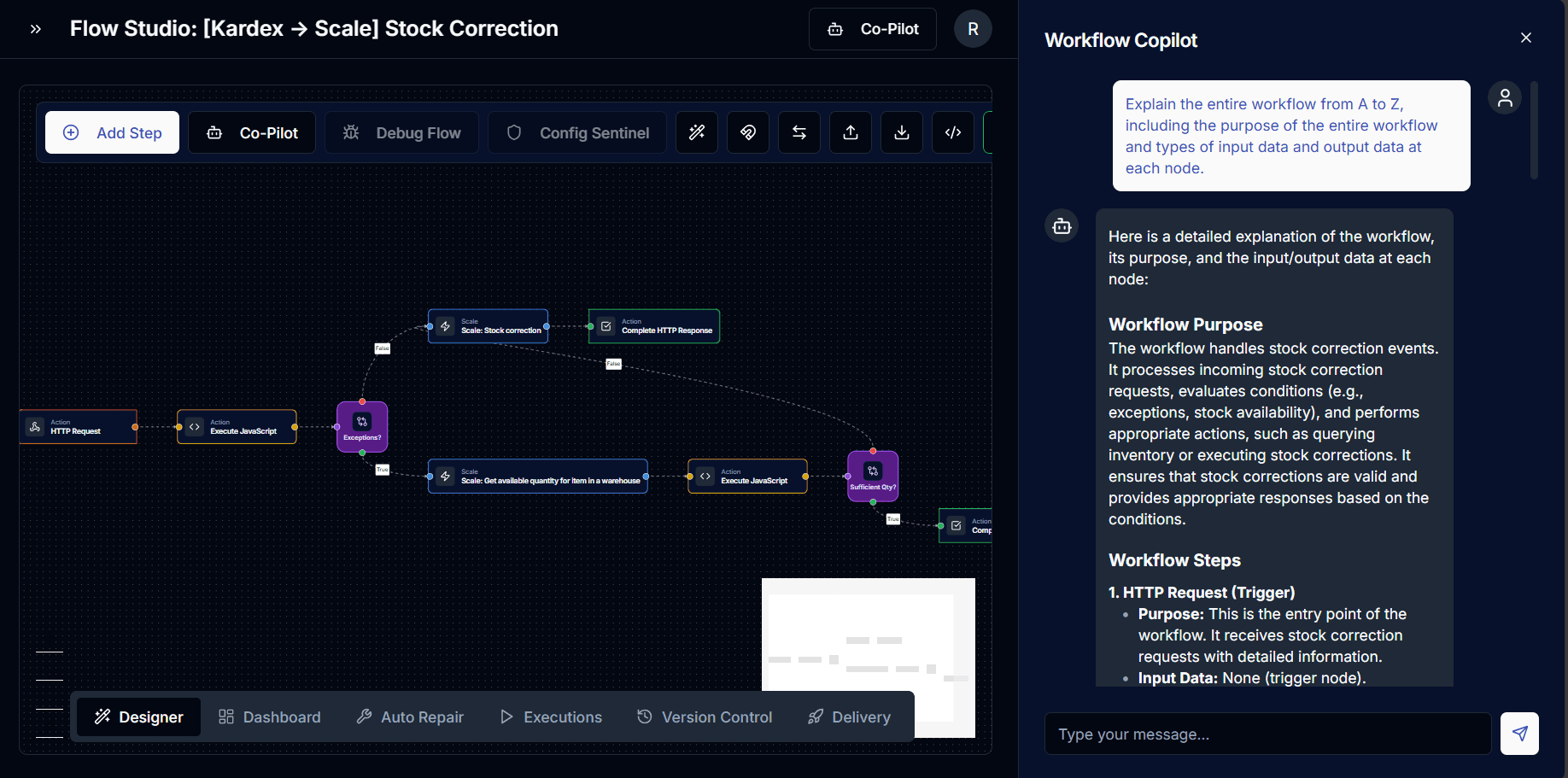
Generative Building from Natural Language
Need to kick off an alert system? Rather than dragging and dropping individual nodes, hunting for the right connector, and manually wiring inputs, simply tell the Copilot what you want to achieve.
"Build a flow that triggers on an HTTP request, checks if the customer is an enterprise tier, and sends a notification to Slack general channel. HTTP request body contains customerId, customerName, isEnterpriseTier"
The Workflow Copilot dynamically maps your intent to our vast connector catalogue. It fetches the required components, wires up the edges computationally, maps the data inputs, and generates the visual architecture right in front of your eyes. It knows the difference between an HTTP Trigger, a Condition, and a Slack Connector without you having to lift a finger.
Generating the plan:
If your request requires adding or modifying more than 2 nodes, it immediately halts. The Copilot presents a step by step architectural plan and asks for your explicit permission before touching the canvas.
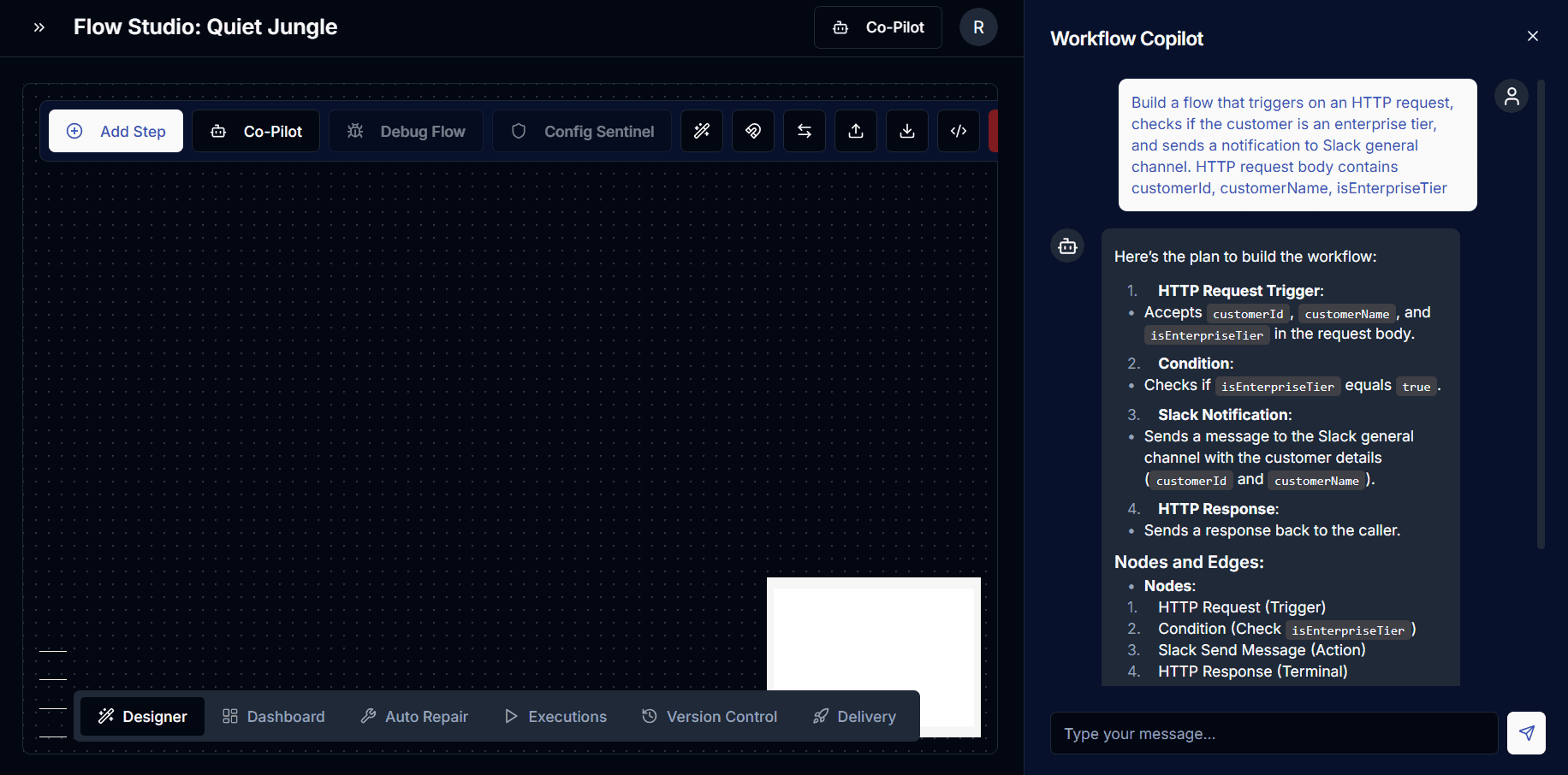
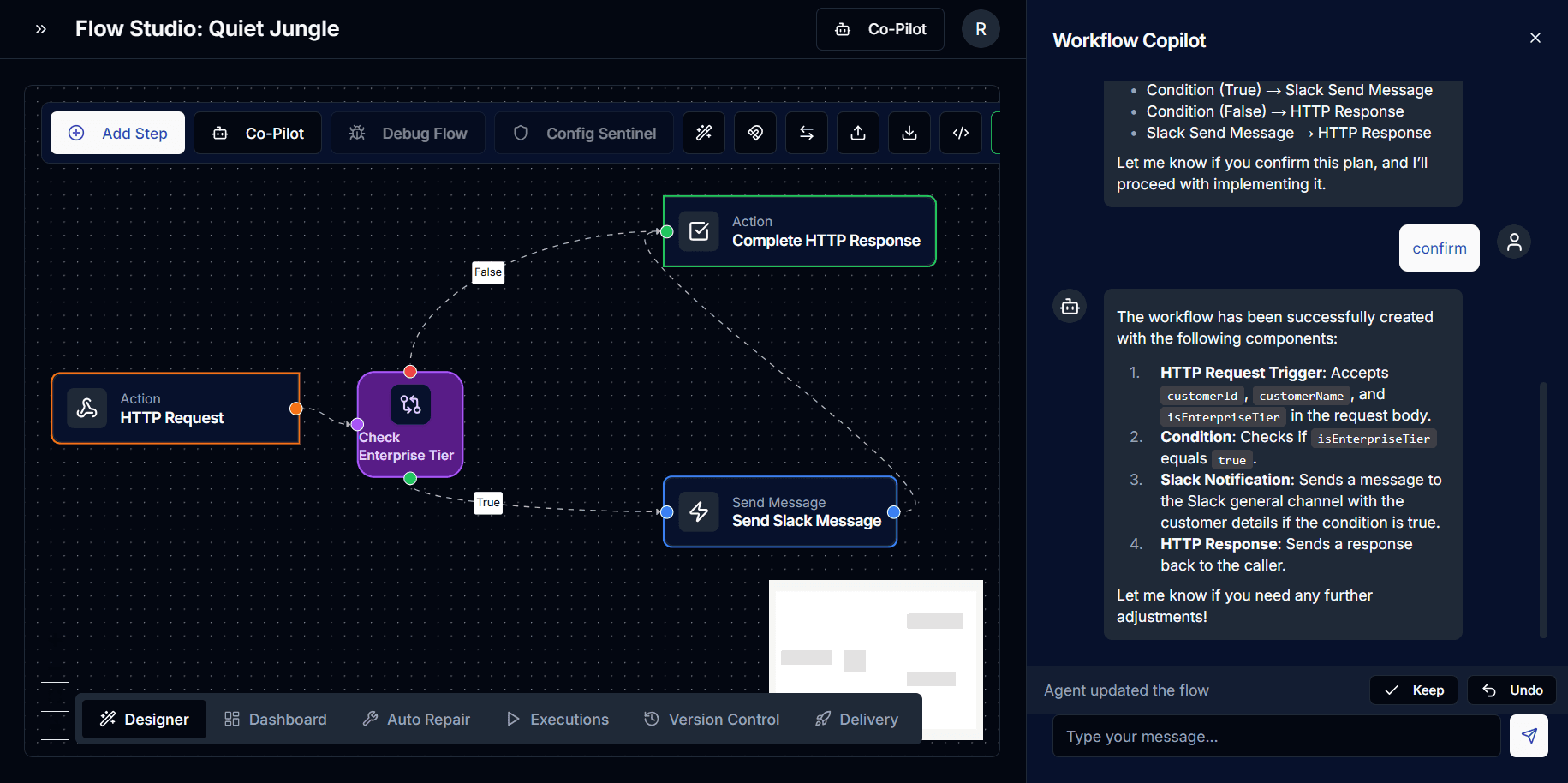
After confirmation, it builds that workflow:
Once you confirm the plan, the Copilot fetches the exact components, wires up the edges and conditionals computationally, and generates the visual architecture right in front of your eyes.
But the safety net continues. Because the AI just modified your canvas, the entire architecture is placed into a "pending" state activating the Keep / Undo Frictionless Loop. You review the physical shift on your graph in real time. If it isn't perfect, you simply hit Undo, and the graph instantly reverts without penalty, allowing you to experiment freely!
2. The General AI Copilot: Your Omnipresent Platform Guide
Ever find yourself hunting through menus trying to figure out how to configure a new runner or searching for docs on securing a webhook?
Enter the General AI Copilot. This assistant is your ever-present guide, available across the entire NeuroMesh website. Think of it as your ultimate Tier-1 support engineer who never sleeps and knows the platform inside and out.
Deep Knowledge & Instant Navigation
The General Copilot isn't just regurgitating a scripted FAQ. Under the hood, it utilizes Multi-Query Retrieval when you ask a question, the AI generates several semantic variations of your query to search our entire proprietary knowledge base simultaneously. This ensures the answer you get is comprehensive and deadly accurate.
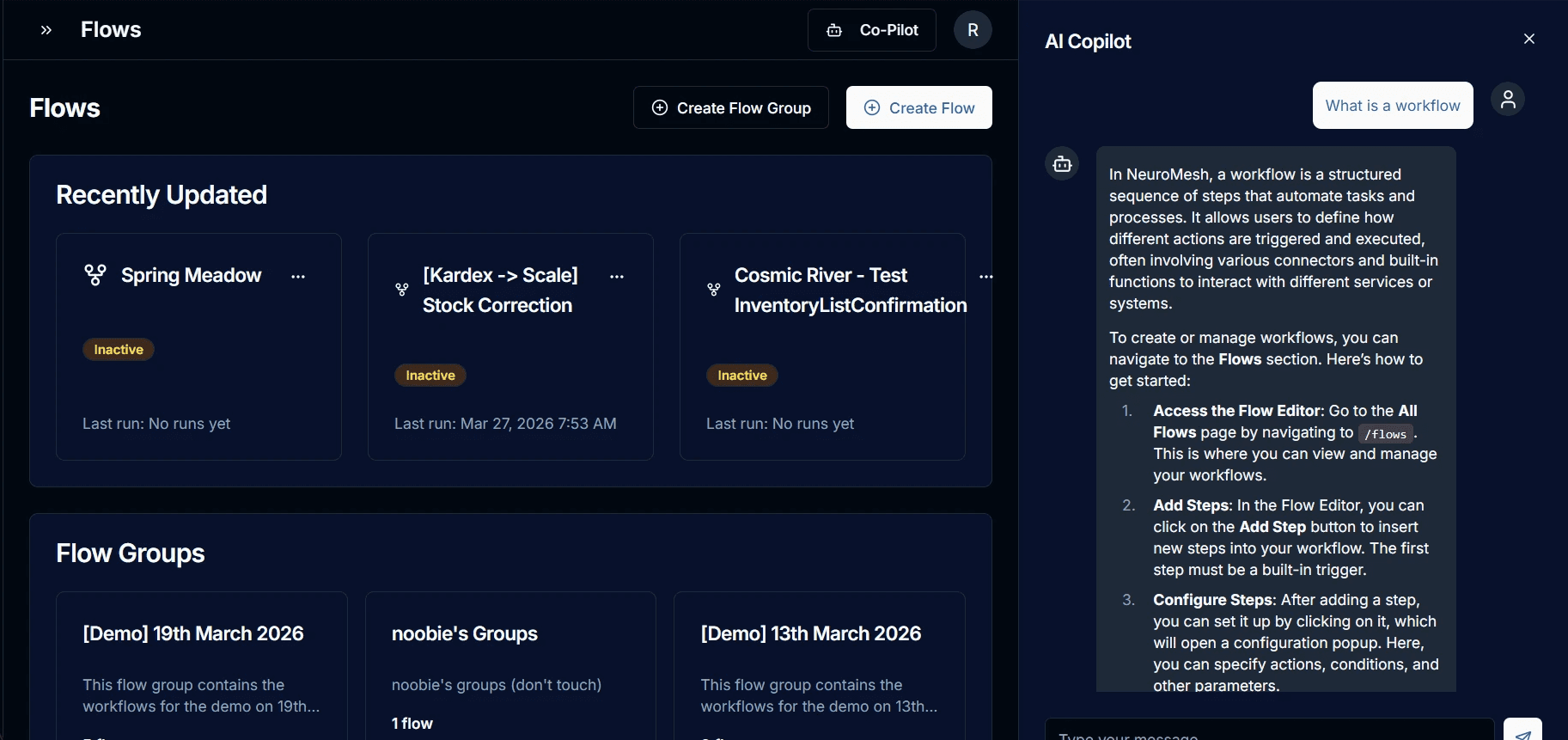
Even better, it doesn't just give you the answer; it tells you exactly how to do it in the UI and actively guides you directly to the precise page (like `/flows` or `/settings`) to get it done.
User: "How to configure a Runner?”
General Copilot: "To configure a Runner in NeuroMesh, you can follow these steps….."
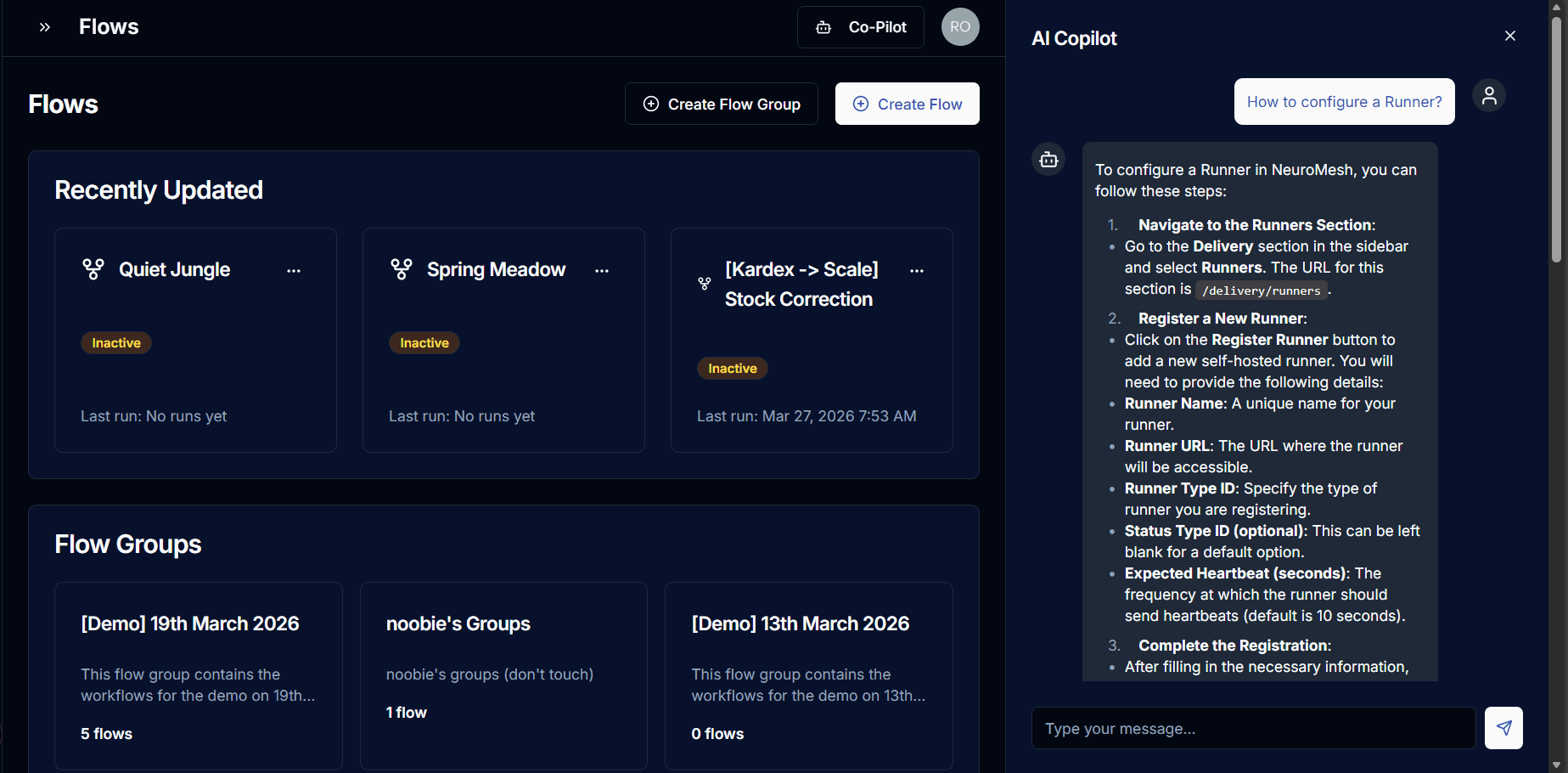
Interactive User Guide
Because it's available everywhere on the site, the General Copilot acts as an interactive, real time user guide. New to NeuroMesh? Ask it to walk you through creating your first project, and it will patiently guide your every click, effectively replacing dry, static documentation.
3. The JavaScript AI Copilot
Writing workflow automation logic often means translating business intent into code - fast. The JavaScript Node Copilot does exactly that. Embedded directly inside the JavaScript node editor, it acts as a context aware pair programmer that already knows your entire workflow.
It Knows Your Data Before You Do
When you open a JavaScript node, the Copilot doesn't start from a blank slate. It automatically ingests:
All upstream step outputs - every variable available from every node that precedes yours in the workflow graph, formatted as
{{STEPXXX.propertyName}}Your defined output schema - the keys and types your script is expected to return
Your current script - whatever code is already in the editor
This means you can simply say "extract the user ID from the HTTP response and return it as a string", and the Copilot generates syntactically correct code that references the exact right variable, with the right quoting rules applied automatically.
Code Preview - Accept or Reject, You're Always in Control
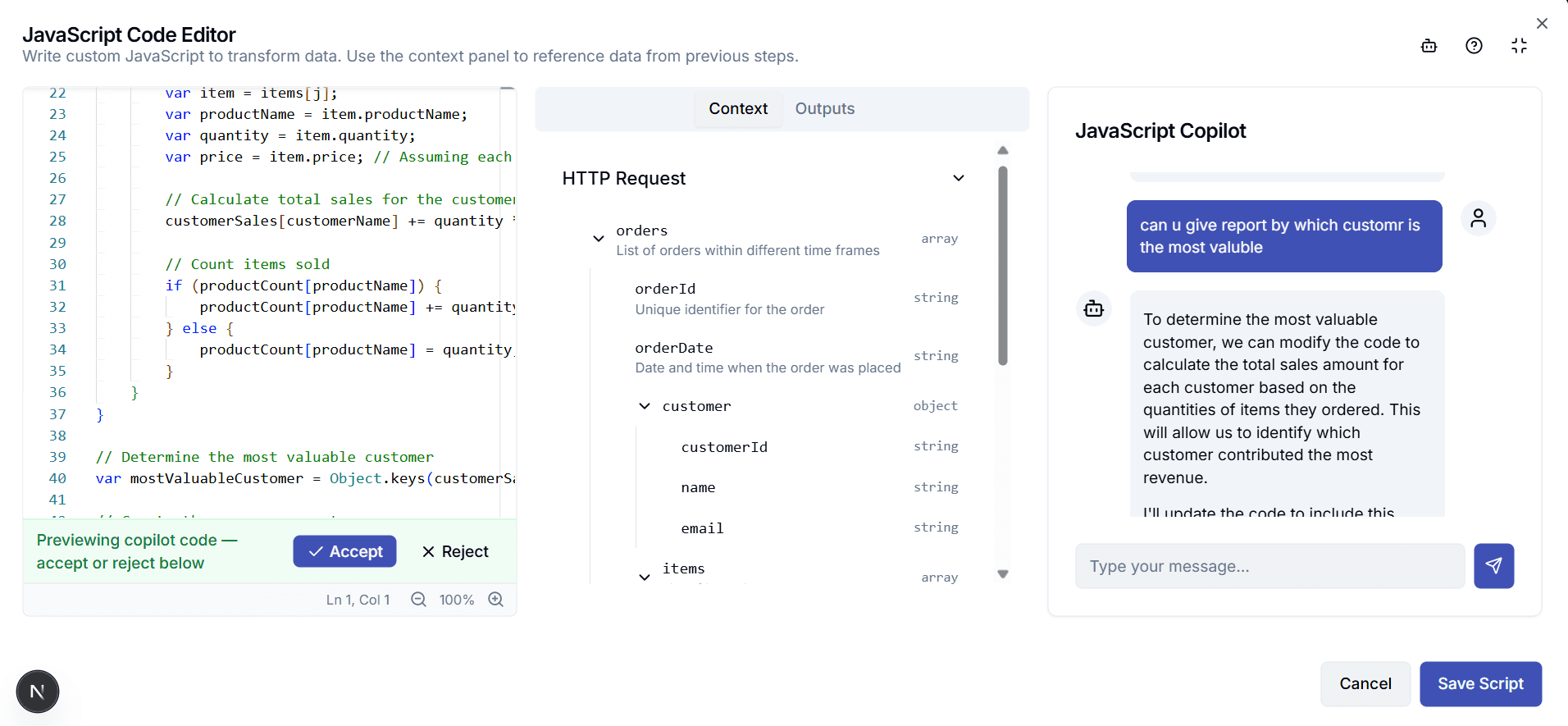
The Copilot never overwrites your code without consent. When it generates a response, your editor flips into preview mode: the generated code appears with a green banner at the top.
Hit Accept and it becomes your script. Hit Reject and your original is restored, untouched. Every generation is a proposal, never a decision.
Previewing copilot code - accept or reject below
Validates Against the Real Runtime - Not a Linter
Here's where it gets technically interesting. Before submitting any generated code, the Copilot validates it using the actual Jint JavaScript engine - the same runtime that executes your scripts in production. It doesn't just check syntax with a generic linter; it parses the code with Jint's own parser and reports real-world errors with exact line and column numbers.
If the generated code has a problem, the AI automatically catches it, fixes it, and re-validates before showing it to you. You see working code, or you see nothing.
Understands the Jint Constraints
The Copilot is pre-trained on the platform's specific runtime constraints. It knows this isn't Node.js or a browser:
No
async/awaitor Promises - Jint is synchronousNo
fetch,setTimeout, or DOM APIsNo
requireor ES modules5000ms timeout, 10,000 statement limit
This means it won't generate code that looks right but silently fails at runtime. It generates for the environment your script actually runs in.
Persistent Multi-Turn Conversation
Each session maintains a conversation ID so context builds naturally across turns:
"Generate a function to sum the delay list" (code appears, you accept) "Now add input validation" (Copilot knows the previous code and modifies it) "Explain what the reduce call does" (Explains in plain English, no new code generated)
The Copilot distinguishes between requests that need code and requests that just need an explanation - it only calls the code generation path when you've actually asked for a change.
Final Takeaway
The NeuroMesh AI Copilots represent more than just a feature upgrade; they signal a fundamental shift in how we interact with automation platforms. By embedding intelligence directly into workflows, documentation, and code execution, NeuroMesh removes the traditional friction between intent and implementation.
Whether it's visually constructing complex integrations, guiding users through the platform in real time, or generating runtime-safe code with full context awareness, these copilots transform developers from manual builders into high-speed orchestrators. The result is not just faster development, but smarter, safer, and more intuitive systems.
As automation continues to evolve, the future clearly belongs to platforms that can think alongside their users, and with NeuroMesh, that future has already begun.
Share Blog